Terminology Changes from MintPress v3 to MintPress v4
The following guide is aimed for customers migrating from MintPress v3 to MintPress v4 and attempts to highlight the changes in concepts/terminology between the two versions.
Node Hierarchy
projects
├── project A
│   ├── asset-templates — Templates for creating new assets
│   ├── assets — Assets at project level; all assets are linked to an asset-template
│   ├── changes
│   │   └── activity — Records or definitions of change activities
│   ├── environments — List of environments
│   │   └── cix1
│   │       └── assets — Environment-specific assets for cix1
│   ├── properties — Properties applicable at a project level
│   ├── scheduled-changes — Definitions of scheduled or planned changes
│   ├── settings — Project-level settings
│   └── workflows — Workflow definitions
MintPress v4 is structured around a node hierarchy:
- Project – Top-level node.
- Environments – Contained within projects.
- Assets – Contained within environments, but can also exist at the project level for shared services cross-environment components or tasks (e.g., SSL renewals, Network infrastructure, DNS, etc.).
Asset Templates
- Defined at the project level.
- Can optionally have an associated MintModel (data model):
- With MintModel: MintPress parses the model automatically and displays available actions.
- Without MintModel: Only explicitly defined actions in actions.rb file are available.
Security
- Security operates on the node hierarchy.
- Any node can be included in a security policy to govern access.
Git Repository and Naming Conventions
All asset templates are stored in a Git repository:
-
Without MintModel:
<git_repo>/<asset_template_code> -
With MintModel:
<git_repo>/MintModel/templates/assets/<asset_template_code.json.erb>
Property System
root
├── properties
│   ├── projects
│   │   ├── common-for-all-projects.json — Properties shared across all projects
│   │   ├── project-A
│   │   │   ├── project-A-project-properties.json — Project-level properties for project-A
│   │   │   └── environments
│   │   │       ├── common-for-all-envs-in-project-A.json — Properties shared across all environments
│   │   │       ├── dev
│   │   │       │   ├── dev-env-properties.json — Properties specific to the development environment
│   │   │       │   └── assets
│   │   │       │       ├── common-for-all-assets-in-dev.json — Properties common to all dev assets
│   │   │       │       ├── soa - SOA Asset
│   │   │       │       │   ├── soa-1.json — SOA asset properties file #1
│   │   │       │       │   └── soa-2.json — SOA asset properties file #2
│   │   │       │       └── obp — OBP Asset
│   │   │       └── staging — Staging environment
│   │   └── another_project — Placeholder for another project’s properties
MintPress v4 uses a property system provided by the underlying OpsChain platform.
Properties within a project are hierarchical, meaning that the deepest node inherits all properties defined in its parent nodes.
Properties can originate from multiple sources: a Git repository, within its database, or they can be provided via the command line or UI when executing a change.
It is also possible to write to properties at runtime within the DSL, allowing you to save values dynamically during execution.
All properties are versioned automatically when saved, enabling you to track their history and see how a property has evolved over time.
Properties can be nested, so structures like foo.bar.name are valid. When stored in Git, properties can use JSON, TOML, or YAML formats.
When retrieving properties, values from parent nodes are merged, with any property defined at a lower level overriding the corresponding property from a higher-level node.
To understand more about properties, please refer Properties
Actions, Steps & Changes
Action (Change)
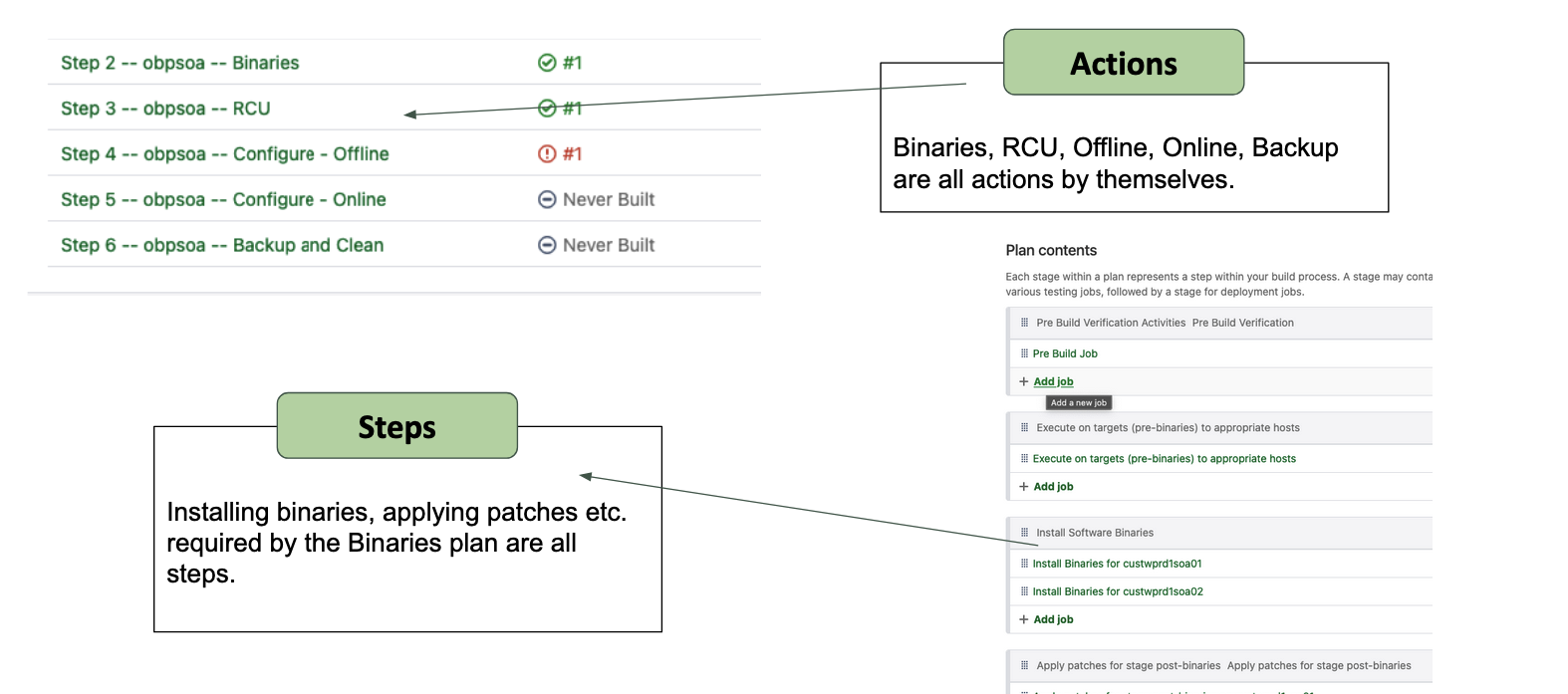
An action is a definition of a composable unit of work that can be run or executed in MintPress v4.
- For example, a plan in MintPress v3 (along with all its individual jobs and tasks) is treated as a hierarchy of action(s) in MintPress v4, and are automatically exposed and available for execution as part of a Change or Workflow
- Actions can also interact with Humans by use of
waitsteps to request human intervention during execution, similar to what MintPress v3 provides via its Run-time wait step.
Steps
A step represents the sequencing of actions.
- Steps allow you to define dependencies or parallel execution of actions.
- For example, Action A might execute Action B and Action C in parallel.
- Plans with stages can be constructed using steps in MintPress v4, allowing complex workflows to be defined easily.
Change
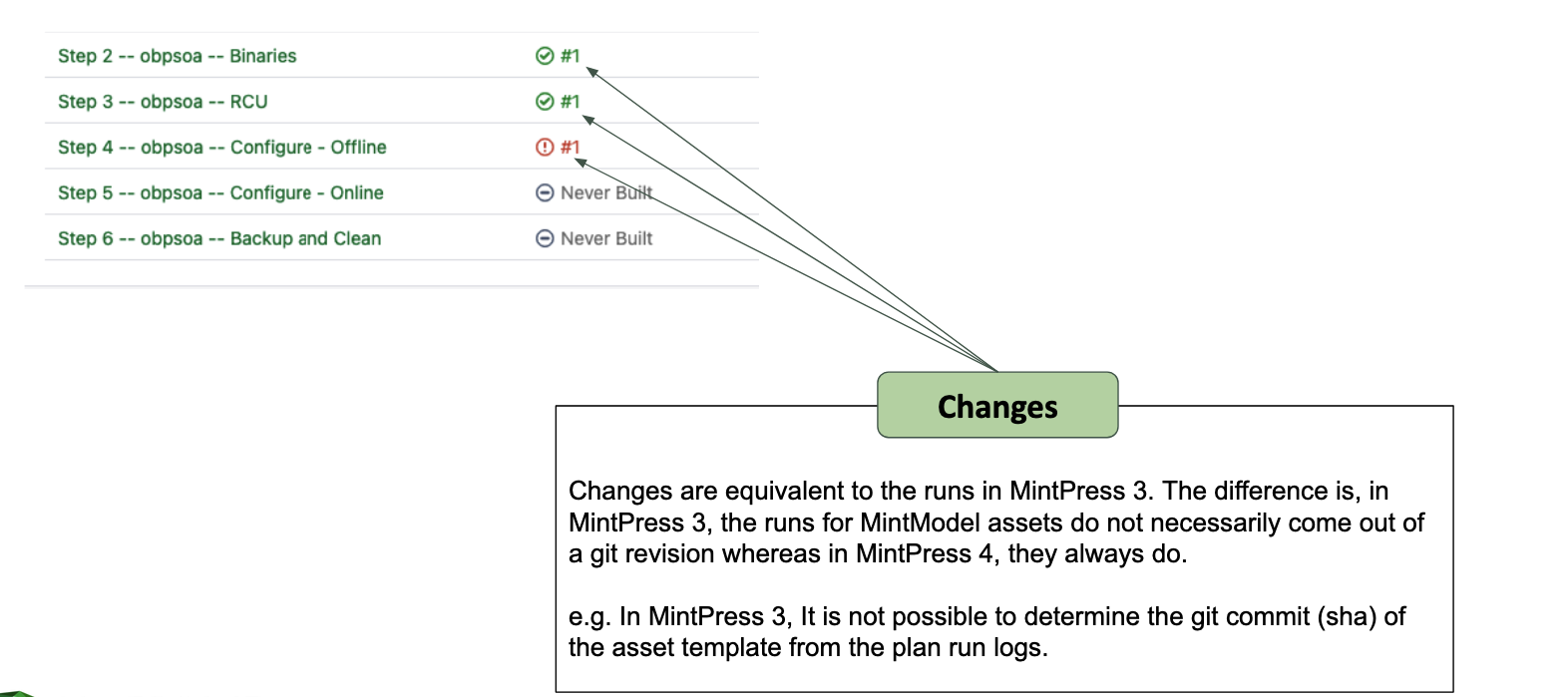
A change represents the execution of an action against a specific Git commit (SHA).
Workflows
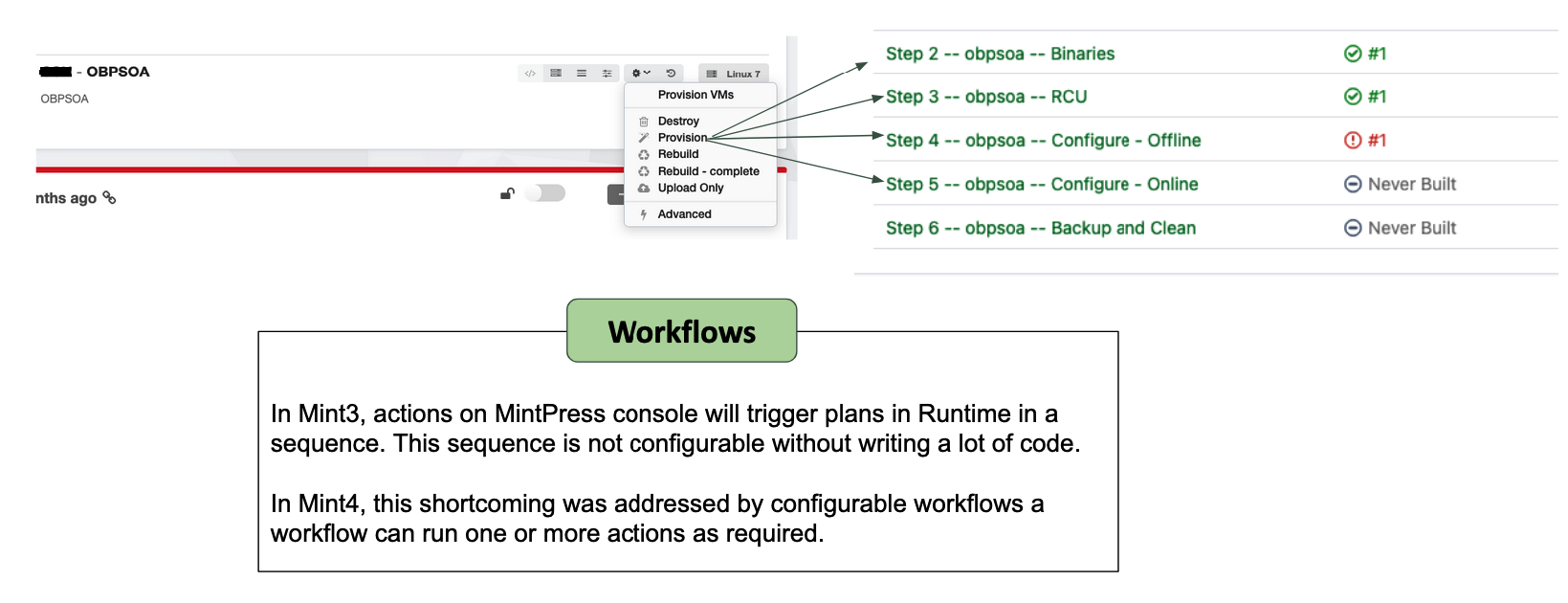
In MintPress v3, actions executed from the console trigger plans in Runtime in a fixed sequence. This sequence is not configurable without writing significant custom code.
In MintPress v4, this limitation has been addressed with configurable workflows. A workflow can run one or more actions in any required sequence, making execution flexible and easier to manage.
Human approvals are now integrated in MintPress v4 Workflows, enabling human interaction and the ability to define human-centric workflows for managing change.
MintPress SDK Actions
In MintPress v3, customised code required use of the MintPress SDK, which provides access to raw classes and methods within the SDK.
MintPress v4 supports all of those SDK classes and methods, and additionally provides DSL resources for the same classes.
SDK to DSL Mapping
| SDK Class | DSL Class |
|---|---|
| MintPress::InfrastructureOci::OCIHost | infrastructure_oci_oci_host |
| MintPress::InfrastructureOci::OCIStorage | infrastructure_oci_oci_storage |
| MintPress::Infrastructure::ChefBootstrapper | infrastructure_chef_bootstrapper |
Rule of thumb: Remove
MintPress::from the start of the class name and convert the rest to snake_case, removing any::.
Every method of the SDK class is available as an action in the corresponding DSL resource. All MintPress SDK classes are accessible as DSL resources.
Example
# Pure MintPress SDK
myhost = MintPress::InfrastructureOci::OCIHost.new(name: "myhost")
myhost.create # This will create the host

# Equivalent DSL usage in MintPress 4
infrastructure_oci_oci_host "myhost" do
  # <host properties>
end

myhost:create # `myhost` is the resource, `create` is the action
Refer More about Resources to learn advanced ways to create your own resources.